Media planning
Add platform campaigns to placements
Connect a Nebula placement to the matching campaign record in the advertising platform for reporting context.
A platform campaign is the campaign record in an ad platform such as Google Ads, Meta, LinkedIn, or TikTok. Linking it to a Nebula placement gives reports the campaign context they need; it does not change the media plan or the ad-platform campaign.
Use the exact campaign name and direct campaign URL from the ad platform. If the link points to the wrong campaign, reports may show performance against the wrong placement.
You can add or remove platform campaigns even when the media plan itself is not editable.
Open the placement campaign menu
Navigate to the media plan in Nebula, then find the placement that should be connected to an ad-platform campaign.
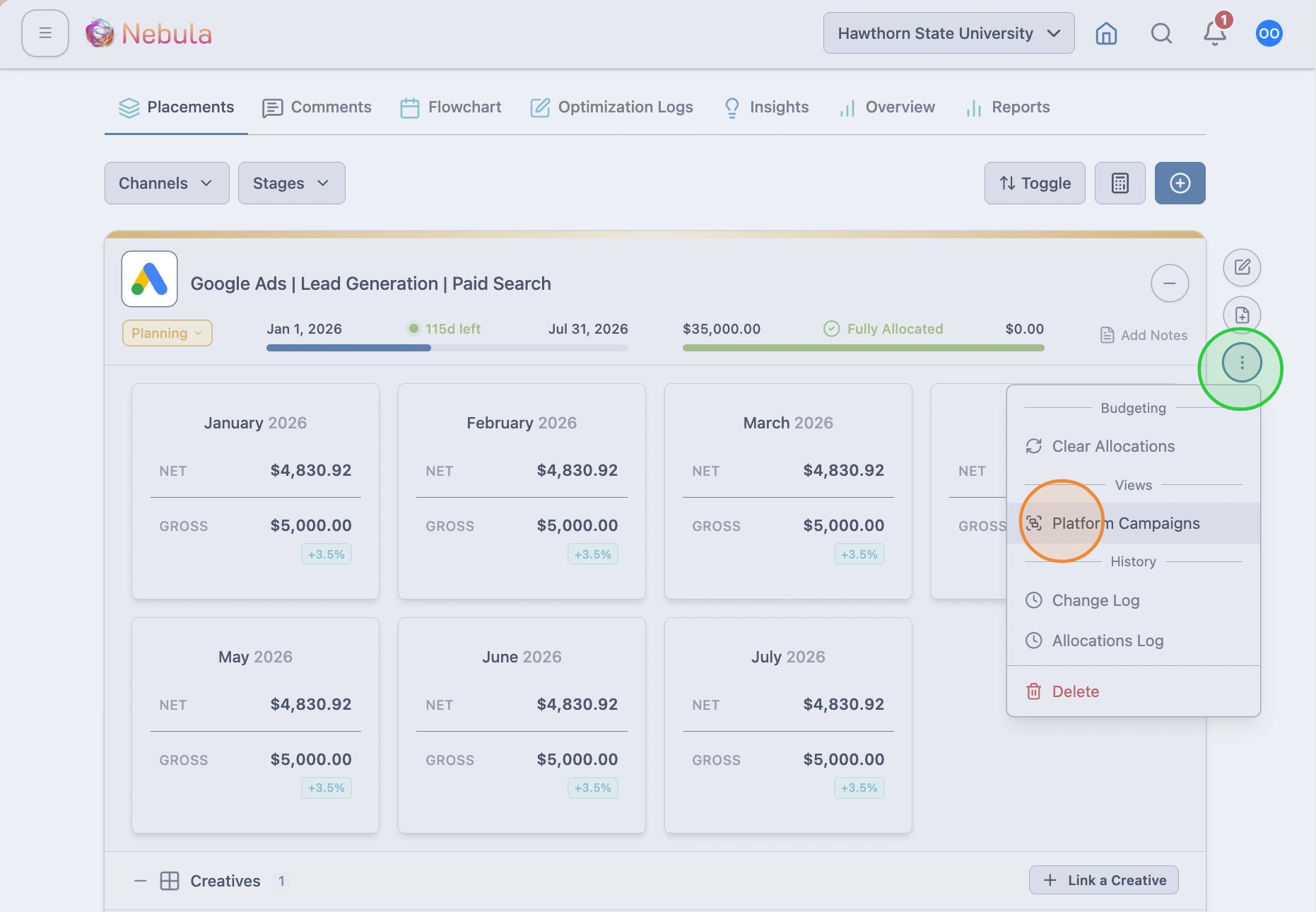
Open the placement actions menu and click “Platform Campaigns.”
Add the campaign details
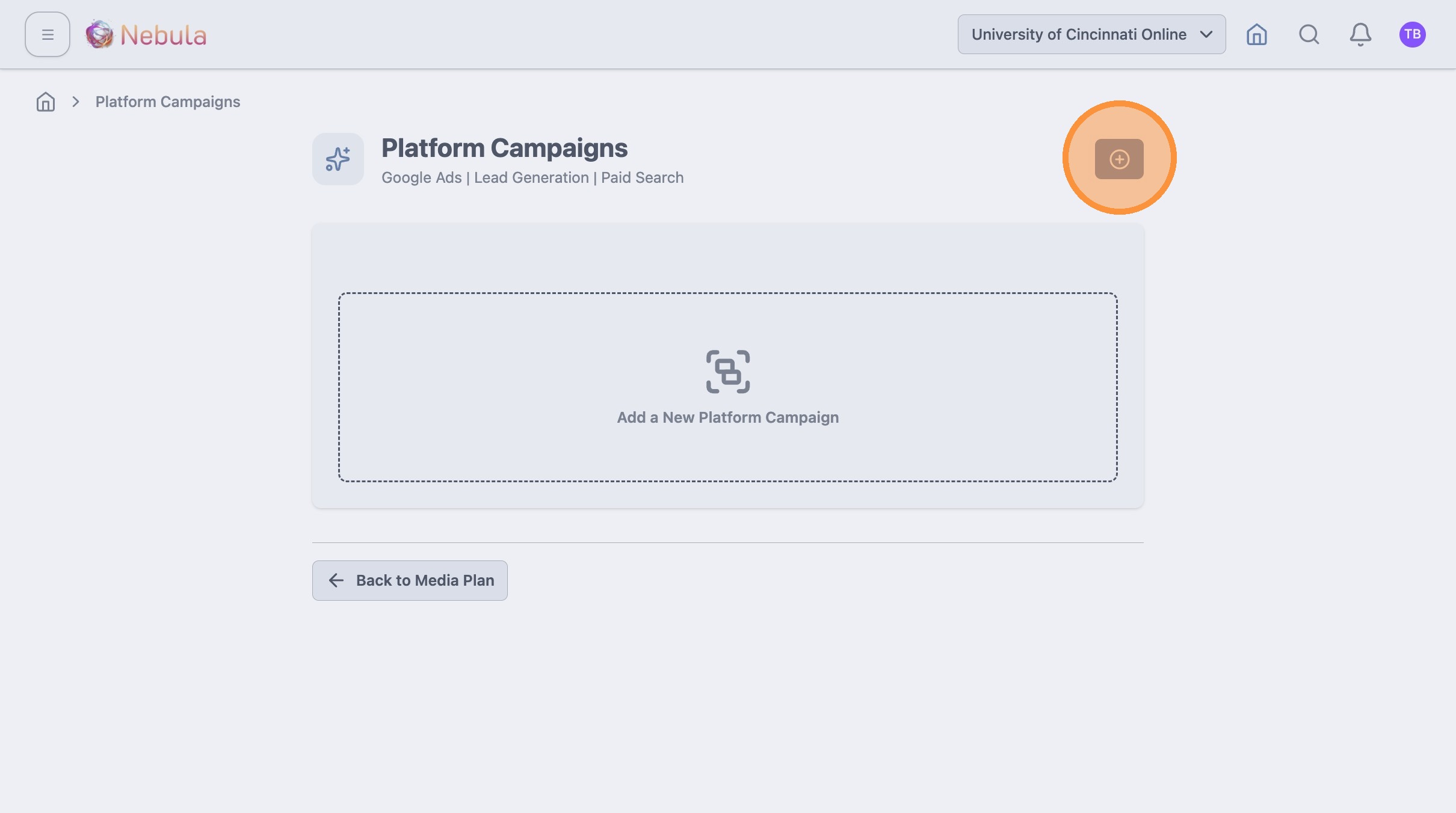
Click the add button to create a new platform campaign link.
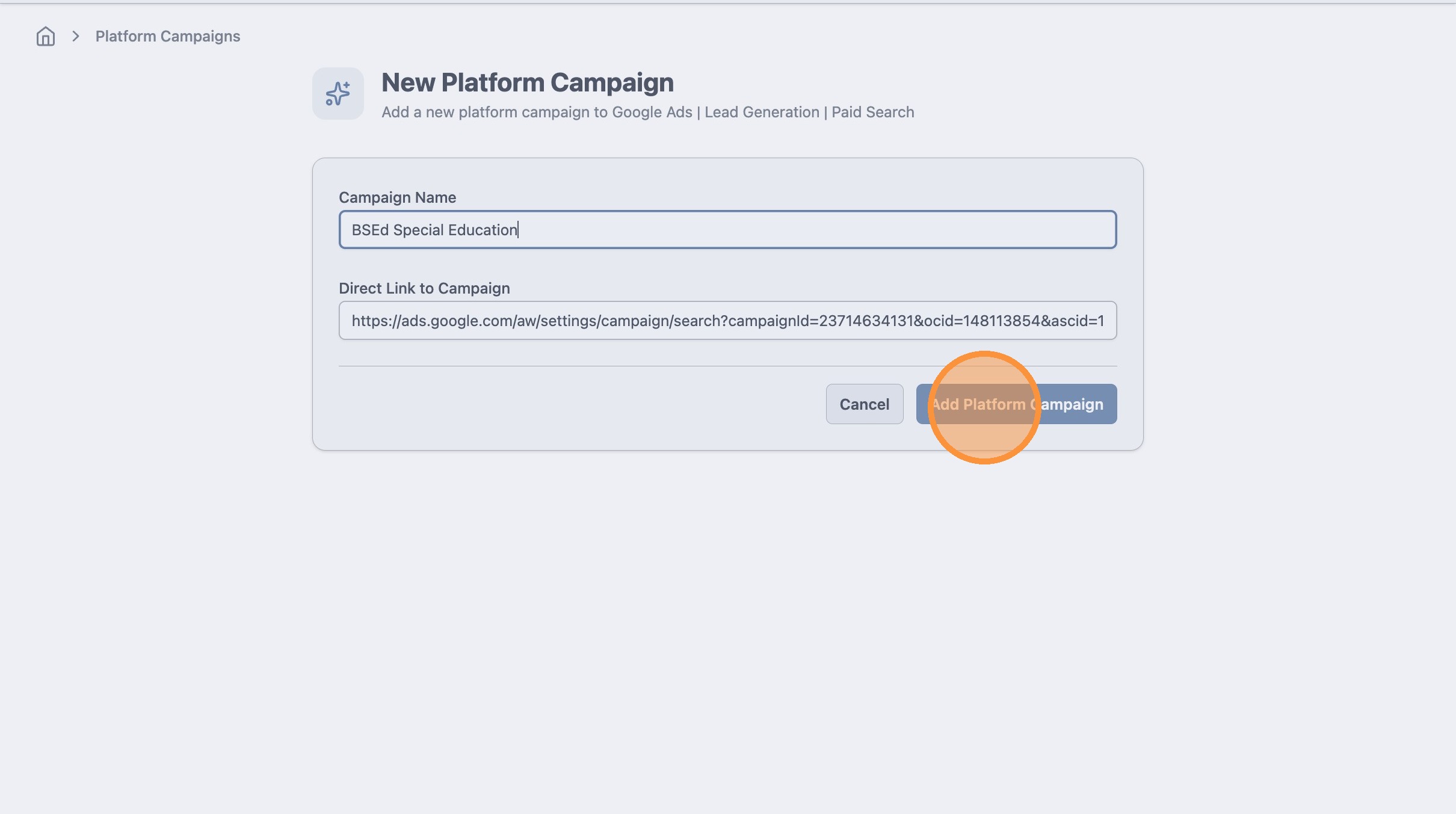
Enter the two required fields:
- Name: Use the campaign name exactly as it appears in the ad platform.
- URL: Use the direct campaign URL. It should contain the campaign ID and is usually available from the campaign’s Settings or Edit page.
After these fields have been added, click “Add Platform Campaign.”
Tip: Nebula can recognize platform campaign URLs from these ad platforms as of April 2026.
- Google Ads: ads.google.com
- Microsoft Ads (Bing): ui.ads.microsoft.com
- Search Ads 360 (SA360): searchads.google.com
- Meta: adsmanager.facebook.com
- LinkedIn: linkedin.com/campaignmanager
- Reddit Ads: ads.reddit.com
- TikTok: ads.tiktok.com
- Amazon Ads: advertising.amazon.com
- Campaign Manager 360 (CM360): campaignmanager.google.com
- Display & Video 360 (DV360): displayvideo.google.com
Add additional campaigns when needed
If more than one platform campaign belongs to the placement, repeat the same steps for each campaign. There is no limit to the number of platform campaigns that can be added.